30 Google Workspace Usage
A practical course that treats Google Workspace usage not as simple Google app operation, but as a core digital work and learning skill connecting Gmail, Drive, Docs, Sheets, Slides, Forms, Calendar, Meet, Sites, Apps Script, AppSheet, and Gemini for productivity, collaboration, data management, automation, and AI assistance.
0. Purpose and ultimate goal
The ultimate goal is to help learners connect email, calendar, documents, files, meetings, forms, data, sites, automation, and AI assistance into one work and learning system that improves individual and team execution. The course follows a professional training style centered on repeated Google Workspace practice, shared-document production, Drive permission management, Forms-Sheets data flows, Apps Script and AppSheet automation, Gemini usage rules, and portfolio outputs.
Referenced professional training patterns
- Korean private digital-work competency courses using repeated Gmail, Drive, Docs, Sheets, and Forms practice
- US/Canada productivity coaching courses using Google Workspace document collaboration, scheduling, and asynchronous work patterns
- UK/European vocational Google Workspace onboarding, team drive, data management, and automation project patterns
- Gemini assistance, Apps Script automation, AppSheet no-code apps, and Google Sites portfolio training-product outputs
Beginner 1 Day Google Workspace Usage Curriculum
A one-day practical course for understanding Gmail, Google Drive, Docs, Sheets, Slides, Calendar, and Meet, then applying them immediately to personal work and learning management.

| Category | Details | Practice methods |
|---|---|---|
| Objective 1 | Objective 1: of basic and account understanding. |
Hands-on practice using realistic Google Workspace scenarios with instructor demonstration and learner review.
Learners complete a practical Google Workspace task, submit an output, and revise it through feedback.
|
| Objective 2 | Objective 2: Gmail and Calendar with schedule · basic work. |
Hands-on practice using realistic Google Workspace scenarios with instructor demonstration and learner review.
Learners complete a practical Google Workspace task, submit an output, and revise it through feedback.
|
| Objective 3 | Objective 3: Drive and document of basic usage. |
Hands-on practice using realistic Google Workspace scenarios with instructor demonstration and learner review.
Learners complete a practical Google Workspace task, submit an output, and revise it through feedback.
|
| Platforms | Google Chrome, Google Account, Google Workspace, Gmail, Google Drive, Google Docs, Google Calendar, Google Meet, Google Tasks, Google Keep |
|---|---|
| Instructor profile | Instructor should have Google Workspace, collaboration workflow, data management, automation, AI-assistant, and learner-support experience. |
| Target learners | , college student,, introductory, general citizens,, Google tools, online learning · work basic learners |
| Duration | 4-6 hours |
| Materials | Or,, internet, Google account, Chrome browser, practice, schedule management scenario, sharing |
| Deliverables | Google Workspace app role table, Gmail organization rulestable, individual scheduletable, Drive, Docs collaborationdocument |
| Assessment | App understanding 20%, Gmail · Calendar practice 25%, Drive organization 20%, Docs 25%, participation 10% |
Beginner 3 Days Google Workspace Usage Curriculum
A three-day course connecting Gmail, Drive, Docs, Sheets, Slides, Calendar, and Meet for personal productivity, collaboration, presentation creation, and meeting operations.




| Category | Details | Practice methods |
|---|---|---|
| Objective 1 | Objective 1: document · spreadsheet · presentation deck tools with creation. |
Hands-on practice using realistic Google Workspace scenarios with instructor demonstration and learner review.
Learners complete a practical Google Workspace task, submit an output, and revise it through feedback.
|
| Objective 2 | Objective 2: team schedule · of · materialssharing operation. |
Hands-on practice using realistic Google Workspace scenarios with instructor demonstration and learner review.
Learners complete a practical Google Workspace task, submit an output, and revise it through feedback.
|
| Objective 3 | Objective 3: Google Slides and Forms with collaboration result create. |
Hands-on practice using realistic Google Workspace scenarios with instructor demonstration and learner review.
Learners complete a practical Google Workspace task, submit an output, and revise it through feedback.
|
| Platforms | Google Docs, Google Sheets, Google Slides, Google Forms, Google Drive, Google Calendar, Google Meet, Gmail, Google Tasks, Google Keep |
|---|---|
| Instructor profile | Instructor should have Google Workspace, collaboration workflow, data management, automation, AI-assistant, and learner-support experience. |
| Target learners | Projectteam, college student,,, freelancer, small-scale team, online class · work collaboration learners |
| Duration | 12-18 hours |
| Materials | ,, internet, Google account, team project scenario, document · ·, Forms, sharing |
| Deliverables | Report, workmanagement Google Sheet, of schedule · document, team Drive, presentation deck, Google Forms |
| Assessment | Document creation 20%, Sheets managementtable 20%, schedule · of operation 20%, Slides presentation deck 20%, Forms management 10%, team feedback 10% |
Beginner 1 Week Google Workspace Usage Curriculum
A one-week practical course expanding Google Workspace into self-directed learning management, work records, project collaboration, resource archives, and AI-assisted organization.


| Category | Details | Practice methods |
|---|---|---|
| Objective 1 | Objective 1: individual · team workmanagement Google Workspace with. |
Hands-on practice using realistic Google Workspace scenarios with instructor demonstration and learner review.
Learners complete a practical Google Workspace task, submit an output, and revise it through feedback.
|
| Objective 2 | Objective 2: materials storage and management system create. |
Hands-on practice using realistic Google Workspace scenarios with instructor demonstration and learner review.
Learners complete a practical Google Workspace task, submit an output, and revise it through feedback.
|
| Objective 3 | Objective 3: Gemini and Google Workspace safely use. |
Hands-on practice using realistic Google Workspace scenarios with instructor demonstration and learner review.
Learners complete a practical Google Workspace task, submit an output, and revise it through feedback.
|
| Platforms | Gmail, Google Calendar, Google Tasks, Google Keep, Google Drive, Google Docs, Google Sheets, Google Sites, Google Meet, Gemini, Google Workspace |
|---|---|
| Instructor profile | Instructor should have Google Workspace, collaboration workflow, data management, automation, AI-assistant, and learner-support experience. |
| Target learners | High school student team project, college student, introductory, team, educationorganization practitioner, freelancer, online project learners |
| Duration | 20-30 hours |
| Materials | ,, internet, Google account, Gemini, project materials,, file rulestable, AI |
| Deliverables | Google Workspace individual workmanagement, project, Drive materials storage, Google Sites, Gemini usetable |
| Assessment | Individual · team management 25%, project 20%, materials storage 20%, 15%, AI use · security 20% |
Intermediate 4 Weeks Google Workspace Usage Curriculum
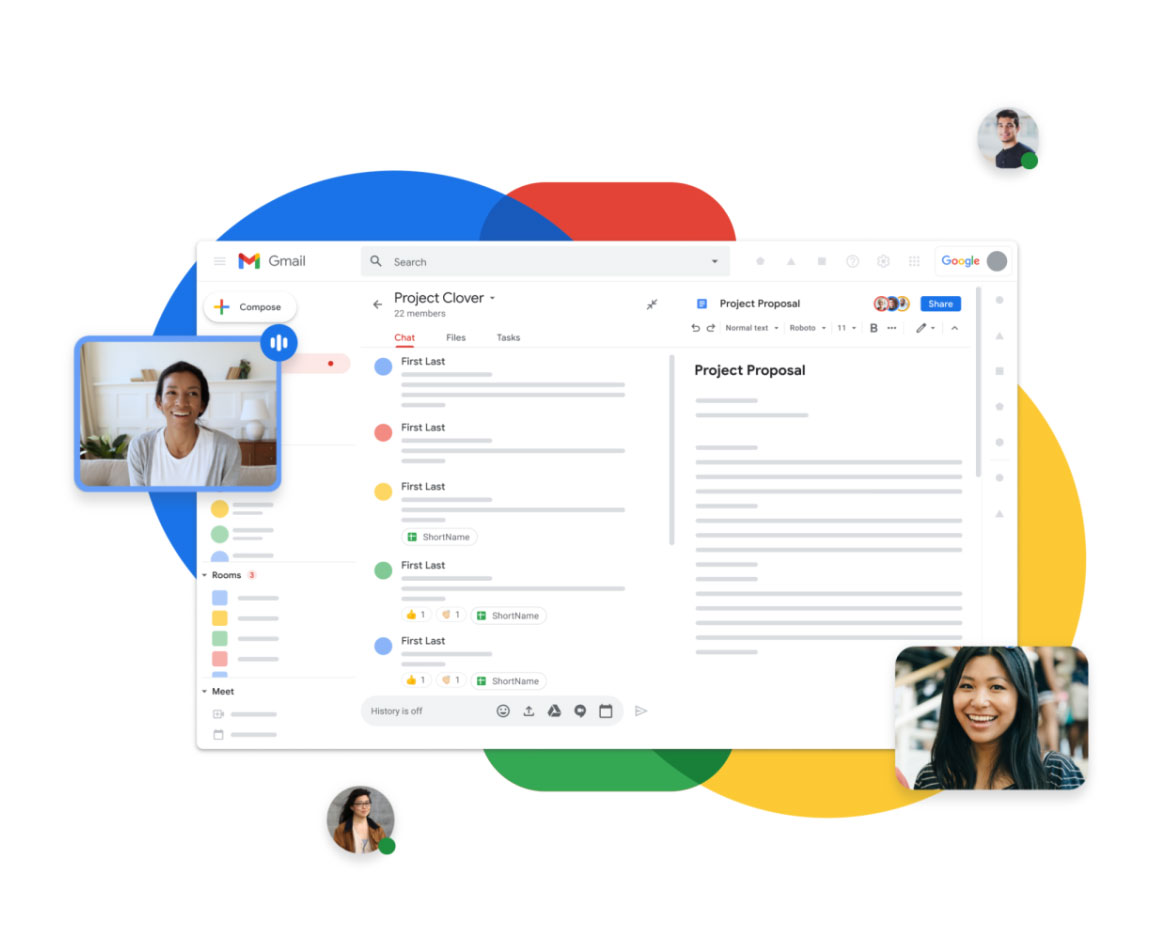
A four-week practical course expanding Google Workspace into team operations, collaboration rules, basic automation, data management, meeting operations, and collaboration performance tracking.


| Category | Details | Practice methods |
|---|---|---|
| Objective 1 | Objective 1: organization type Google Workspace collaboration design. |
Hands-on practice using realistic Google Workspace scenarios with instructor demonstration and learner review.
Learners complete a practical Google Workspace task, submit an output, and revise it through feedback.
|
| Objective 2 | Objective 2: data · analysis ·. |
Hands-on practice using realistic Google Workspace scenarios with instructor demonstration and learner review.
Learners complete a practical Google Workspace task, submit an output, and revise it through feedback.
|
| Objective 3 | Objective 3: Google Workspace automation and of operation application. |
Hands-on practice using realistic Google Workspace scenarios with instructor demonstration and learner review.
Learners complete a practical Google Workspace task, submit an output, and revise it through feedback.
|
| Platforms | Google Admin Console, Google Drive, Shared Drives, Google Groups, Gmail, Google Forms, Google Sheets, Google Apps Script, Google Calendar, Google Meet, Google Docs, Google Slides, Looker Studio |
|---|---|
| Instructor profile | Instructor should have Google Workspace, collaboration workflow, data management, automation, AI-assistant, and learner-support experience. |
| Target learners | Education target, team, project, educationorganization practitioner, HR · education, small business owner team, Digital Instructor, Google Workspace management introductory |
| Duration | 40-60 hours |
| Materials | , internet, Google Workspace organization or practice account, management scenario, team project work, Forms, Sheets data, Apps Script, |
| Deliverables | Organization type Drive, sharing operationtable, Forms-Sheets data, Sheets operation, Apps Script automation, of operationmanual |
| Assessment | Collaboration design 25%, management 20%, data · analysis 25%, automation 15%, of operationmanual 15% |
Advanced 8 Weeks Google Workspace Usage Curriculum
An advanced project course connecting Google Workspace usage to organizational workflow consulting, training-product design, AppSheet and Apps Script automation, Gemini integration, and portfolio building.

.png)

| Category | Details | Practice methods |
|---|---|---|
| Objective 1 | Objective 1: Google Workspace work and improvement design. |
Hands-on practice using realistic Google Workspace scenarios with instructor demonstration and learner review.
Learners complete a practical Google Workspace task, submit an output, and revise it through feedback.
|
| Objective 2 | Objective 2: Workspace based automation · app creation project perform. |
Hands-on practice using realistic Google Workspace scenarios with instructor demonstration and learner review.
Learners complete a practical Google Workspace task, submit an output, and revise it through feedback.
|
| Objective 3 | Objective 3: Google Workspace education and portfolio. |
Hands-on practice using realistic Google Workspace scenarios with instructor demonstration and learner review.
Learners complete a practical Google Workspace task, submit an output, and revise it through feedback.
|
| Platforms | Google Workspace, Google Admin Console, Gmail, Google Drive, Shared Drives, Google Docs, Google Sheets, Google Slides, Google Forms, Google Calendar, Google Meet, Google Apps Script, AppSheet, Gemini, Looker Studio, Google Sites |
|---|---|
| Instructor profile | Instructor should have Google Workspace, collaboration workflow, data management, automation, AI-assistant, and learner-support experience. |
| Target learners | Digital Instructor course, HR · education, team · management, educationorganization operation, startupteam, workefficiency introductory, Google Workspace instructor |
| Duration | 80-120 hours |
| Materials | , internet, Google Workspace practice account, Apps Script editing, AppSheet account, Gemini, organization scenario, automation data, education design, portfolio |
| Deliverables | Google Workspace report, · improvement, Apps Script automation scenario, AppSheet workapp, target by curriculum, Google Sites portfolio |
| Assessment | Report 25%, automation 20%, AppSheet app 20%, education design 20%, portfolio presentation 15% |